Roads and signals
Trafficity guides
Start here for roads, signals, roundabouts, and the tool list used across the guide.
Unofficial fan guide — not affiliated with Onramp Games.
Start with the tool, then the essay
A Trafficity guide is mostly a road tool used at the right moment. The table lists eleven tools that public material actually describes: free-angle roads, the single-lane tool, bridges, roundabouts, traffic lights, protected left turns, signal phases, lane connections, angle snap, the delete brush, and undo. Each row says what the tool does and how you invoke it. If a hotkey is unpublished, the cell stays empty.
Four longer pages sit under this one. The beginner page is about the first city’s hierarchy. The traffic-light page walks the CONNECTIONS and PHASE panels from the official screenshot. The interchange page covers roundabouts and cloverleaves. The biome page is the New Game screen: four maps, three difficulties, driving side, and seed.
Undo arrived in the Day 2 Patch on 17 November 2026, so a guide written from launch-day reviews will still say there is no undo. That sentence is out of date. Ctrl+Z on Windows and Cmd+Z on Mac are the published shortcuts. The same patch made the delete brush and the angle-snap switch easier to see, and it tries to reconnect a T or cross when you delete one unsigned arm.
| Tool | Category | What it does | How you use it | Status |
|---|---|---|---|---|
| Gridless road grid | Road | Places a road grid at any angle in three clicks; roads can be built overpasses, roundabouts and traffic lights. | Three clicks (start, direction, length) | 1 source |
| Individual lane tool | Road | Adds an individual lane along the side of an existing road. | Click/drag along an existing road | 1 source |
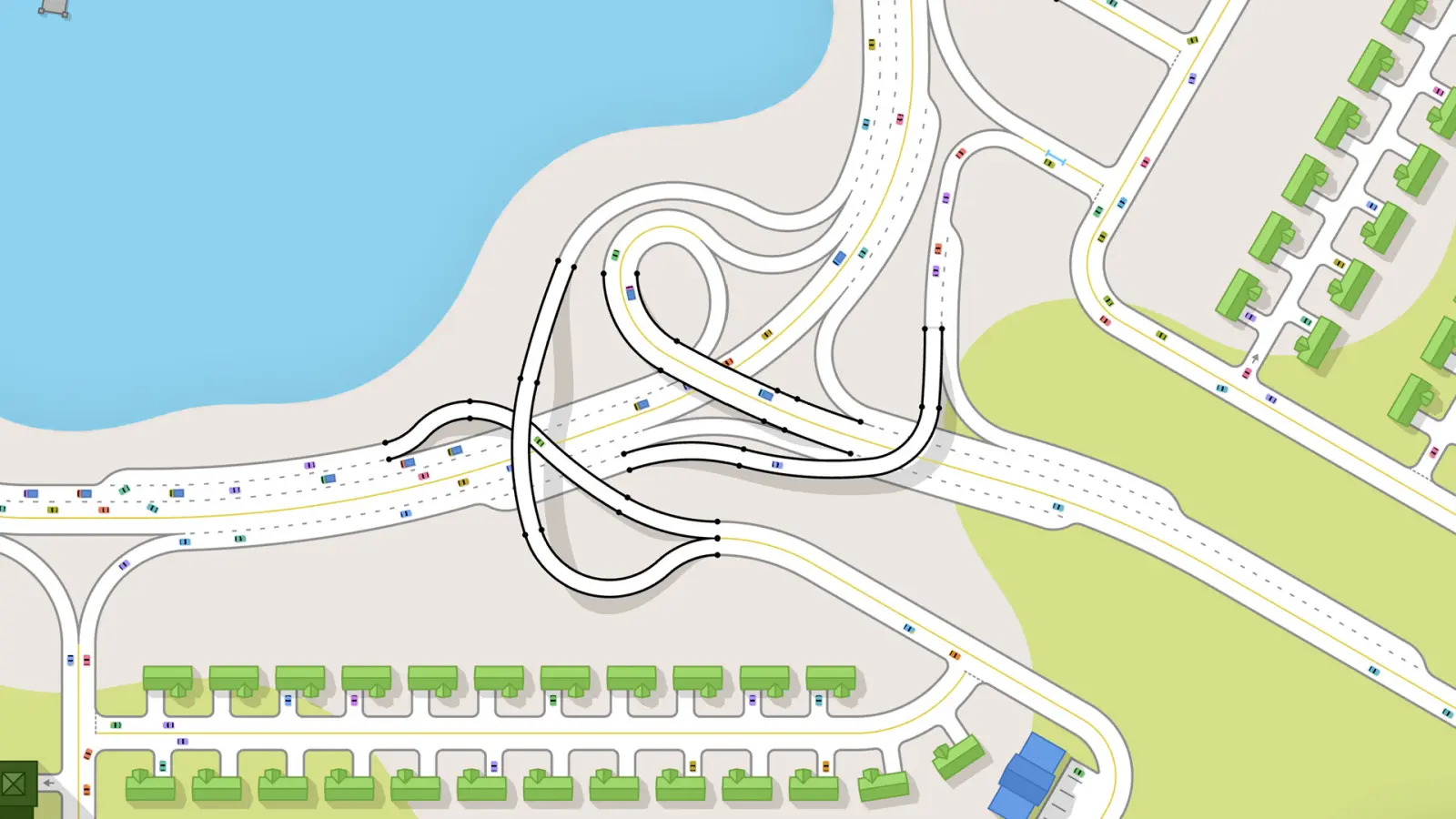
| Overpass / bridge | Road | Builds grade-separated roads over existing roads and terrain; used for interchanges and crossing a busy movement. | Road tool at raised elevation | 1 source |
| Roundabout | Junction | Places a roundabout; larger (multi-lane) roundabouts are built by placing a roundabout then adding lanes with the one-lane tool. | Place roundabout, then add lanes | 1 source |
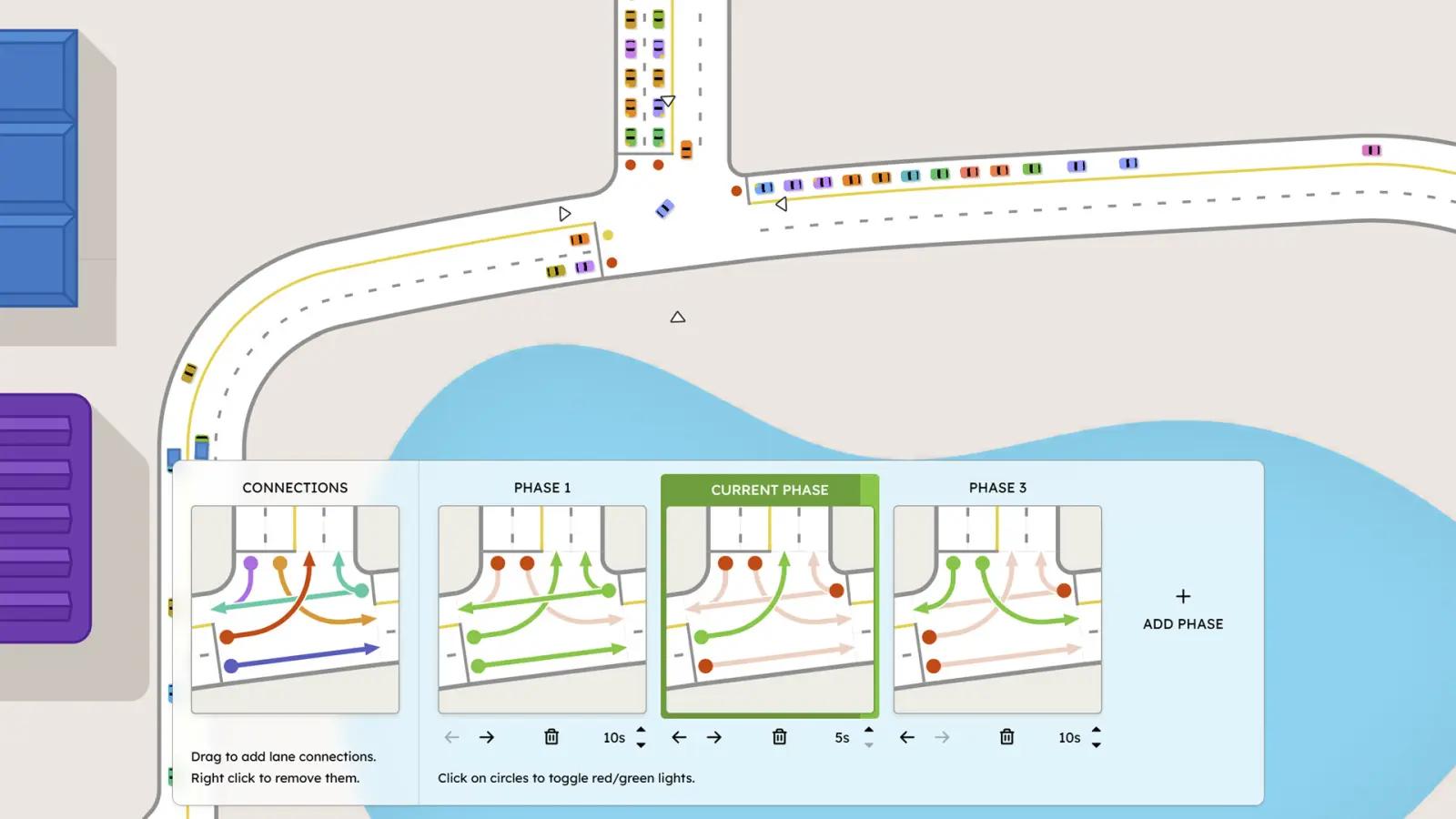
| Traffic lights | Signal | Adds a signal to a junction; opens the CONNECTIONS and PHASE panels. A junction's light cannot be removed on its own - the junction has to be rebuilt (player report). | Place at a junction; click junction to edit | 1 source |
| Protected left turn | Signal | Gives a turning movement its own green phase so left-turning traffic does not conflict with oncoming traffic. | Toggle the movement's circle inside a phase | 1 source |
| Traffic-light phase | Signal | A phase is one set of red/green movements with its own duration; phases run in order. Players add phases, drag the duration (e.g. 10s/5s/10s), and delete phases with the trash icon. | ADD PHASE, per-phase duration, click circles to toggle red/green | 1 source |
| Lane connections | Junction | Connects a specific approach lane to a specific exit lane inside a junction; drag to add, right-click to remove. | Drag to add, right-click to remove | 1 source |
| Angle snapping toggle | Editing | Snaps road angles to fixed increments; the Day 2 Patch made the ability to disable it more obvious. | Toggle in the road tool | 1 source |
| Delete brush | Editing | Deletes roads/buildings with a brush; the Day 2 Patch made the brush more obvious after players missed it. | Select brush and drag | 1 source |
| Undo | Editing | Reverts the last change with Ctrl+Z (Cmd+Z on Mac). Added in the Day 2 Patch after widespread requests. | Ctrl+Z / Cmd+Z | 1 source |
Questions
Is there an official Trafficity wiki?
No official wiki link was found on the Steam store or studio site checked on 18 November 2026. These guides cite the store text, official screenshots, and the Day 2 Patch.
Where is the hotkey list?
Only undo (Ctrl+Z / Cmd+Z), the angle-snap toggle, and the delete brush are named in public notes. Other hotkeys are not published, so they are not in the table.
Sources
- Steam store page — checked 2026-11-18
- Day 2 Patch — checked 2026-11-18
Last checked: 2026-11-18.
Related
- Beginner guide — Hierarchy, access, and room to grow.
- Traffic lights — Connections, phases, and protected lefts.
- Roundabouts — Circles, cloverleaves, and slip lanes.
- Biomes — Island, Desert, Alpine, Fjords, and Chill Mode.